AI Agent Monitoring
AI agent monitoring, built to prove ROI to your customers
AI agent monitoring means capturing what an AI agent actually does in production: every prompt, tool call, and outcome, so you can catch failures, control cost, and confirm the agent is working. Most monitoring tools stop there and show that data to your own engineering team. If you're building an AI product for other companies, your customers want to see it too: deflection rate, cost per resolution, and resolution rate, scoped to their account only. That customer-facing layer is what standard agent monitoring leaves out.
What it means
AI agent monitoring watches what your agent actually does
Traditional application monitoring checks whether a service is up and how fast it responds. An AI agent can be up, fast, and still wrong: it can call the wrong tool, loop on a task, or hand a customer a confident answer that's false. AI agent monitoring exists because uptime doesn't tell you whether the agent did its job.
In practice, that means capturing the full trace of what happened inside a single agent run: the prompt that went in, every tool call the agent made, what each tool returned, and the final action or answer. Without that trace, an engineer debugging a bad outcome is stuck reading a transcript and guessing. With it, they can see exactly where the reasoning went wrong.
The teams that get this right treat each agent run as a structured event, not a log line. Every run gets a trace ID, ties back to the customer and session it belongs to, and carries enough detail, tool inputs, tool outputs, retries, timing, that a failure can be reproduced instead of just noticed.
Because agent behavior is non-deterministic, the same prompt can produce a different tool call sequence on two separate runs. That's normal, and it's also why agent monitoring leans harder on evaluation than classic application monitoring does: an automated scorer or an LLM-as-judge checks whether an output was actually correct, not just whether the request completed.
What to track
The six signals that matter
Cover these and you match what any AI agent monitoring tool should give you, before you add the harder, customer-facing layer below.
Traces and tool calls
Every prompt, tool call, tool response, and final action for a run, tied to a trace ID so a bad outcome can be replayed step by step instead of guessed at.
Latency, not just the average
Track the tail (p95 and p99), not the mean. A model call that's fast nineteen times out of twenty and stalls on the twentieth is the one that generates support tickets.
Token usage and cost per run
Attribute cost to the customer and workflow that generated it. Without per-run cost, you can't tell a cheap agent from an expensive one until the invoice arrives.
Failure classification
Group failures by type: timeout, schema error, permission denial, empty result, tool error, instead of one undifferentiated error count. The fix for each type is different.
Quality and safety signals
Automated scoring for hallucination, tone, and policy violations on a sample of runs, so quality regressions show up before a customer reports them.
Access and data handling
PII tagging, credential masking, and an audit trail of what each agent read or wrote, especially once agents get write access to real systems.
The part most tools skip
Monitoring your agent isn't the same as proving it works to your customers
Everything above answers a question aimed at your own team: is the agent behaving? If you're shipping an AI agent inside a product other companies pay for, a second question follows close behind, and it comes from your customers, not your engineers: is this actually saving us time and money? Dashboards built for debugging don't answer that question, because they were never meant to.
Answering it well means defining a small set of numbers your customers will actually trust, and being honest that the definitions require judgment calls. A reasonable starting point: deflection rate is the share of conversations the agent resolves without a human handoff; cost per resolution is total agent cost (model calls plus infrastructure) divided by resolved conversations; resolution rate is the share of conversations marked resolved, however your product defines resolved. None of these are standardized across the industry, so the honest move is to pick your definitions, write them down, and show your customers the formula, not just the number.
The harder problem is architectural, not definitional. Your monitoring data already lives in your systems. Showing a slice of it to end customer A, without any chance A sees end customer B's traces, means every event has to carry both an org identity and a customer identity from the moment it's written, and every read has to be scoped to match. Bolting a filter onto a single-tenant dashboard after the fact is how tenant data leaks.
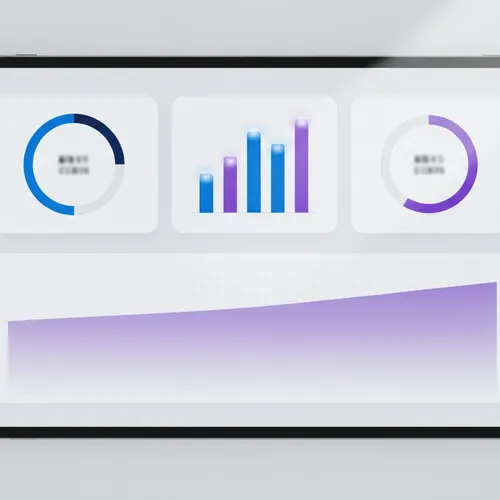
This is the layer most AI agent monitoring guides don't cover, because most of them are written for teams monitoring an agent for themselves. AiAgRe scopes every ingested event to an org and a customer from the start, and issues short-lived embed tokens so each customer's dashboard reads only their own deflection rate, cost, and resolution numbers, styled to match your product instead of ours.
The category
What an AI agent reliability platform needs to do
Most tools live in the first bucket below. Fewer reach the second. The third is usually left for you to build yourself. See AI agent reliability for how this plays out per framework, including CrewAI and LangGraph.
Observability
Capture traces, spans, and metrics so your team can see what the agent did and debug failures when they happen.
ROI proof
Turn that raw data into deflection rate, cost per resolution, and resolution rate that hold up when a customer, not just an engineer, looks at them.
Remediation
Cluster recurring failures, tighten guardrails around the ones that matter, and confirm the fix actually moved the numbers instead of assuming it did.
FAQs
AI agent monitoring: frequently asked questions
Common questions from teams evaluating AI agent monitoring for a customer-facing product.
What is AI agent monitoring?
AI agent monitoring is the practice of capturing what an AI agent does in production, its prompts, tool calls, tool responses, and final outputs, so a team can debug failures, control cost, and confirm the agent is doing its job instead of just staying online.
How is AI agent monitoring different from AI agent observability?
In practice the two terms overlap heavily. Observability usually refers to the underlying signals: traces, logs, metrics, and evaluations. Monitoring usually refers to watching those signals over time and alerting when something looks wrong. Most teams use the words interchangeably, and neither one, on its own, covers proving ROI to a customer.
How do you calculate AI agent ROI?
Start with three numbers: deflection rate (conversations resolved without a human handoff), cost per resolution (total agent cost divided by resolved conversations), and resolution rate (conversations marked resolved out of the total handled). Document exactly how your product defines each one, because none of them are standardized industry-wide. See deflection rate, explained for the formula and published benchmarks.
Can I show AI agent monitoring data to my own customers?
Yes, but only safely if the underlying data was scoped by customer from the moment it was captured. A dashboard filtered after the fact risks one customer seeing another customer's traces. AiAgRe tags every event with an org and customer identity at ingestion and issues embed tokens scoped to a single customer's data.
Which agent frameworks does AI agent monitoring cover?
AiAgRe's Node SDK ships integrations for LangChain, LlamaIndex, and CrewAI, plus standard OpenTelemetry export for any other stack. If your agent framework can emit an event or a trace, it can be monitored.
Is AI agent monitoring different for multi-tenant SaaS products?
The signals you capture, traces, latency, cost, failures, stay the same. What changes is the read path: every query has to be scoped to the customer asking, not just the org that owns the agent, or you risk exposing one customer's data to another. See multi-tenant analytics for how that scoping actually gets built.
Ready to show agent ROI to your customers?
Request access and we'll help you scope your first customer-facing dashboard.